Manage content visibility
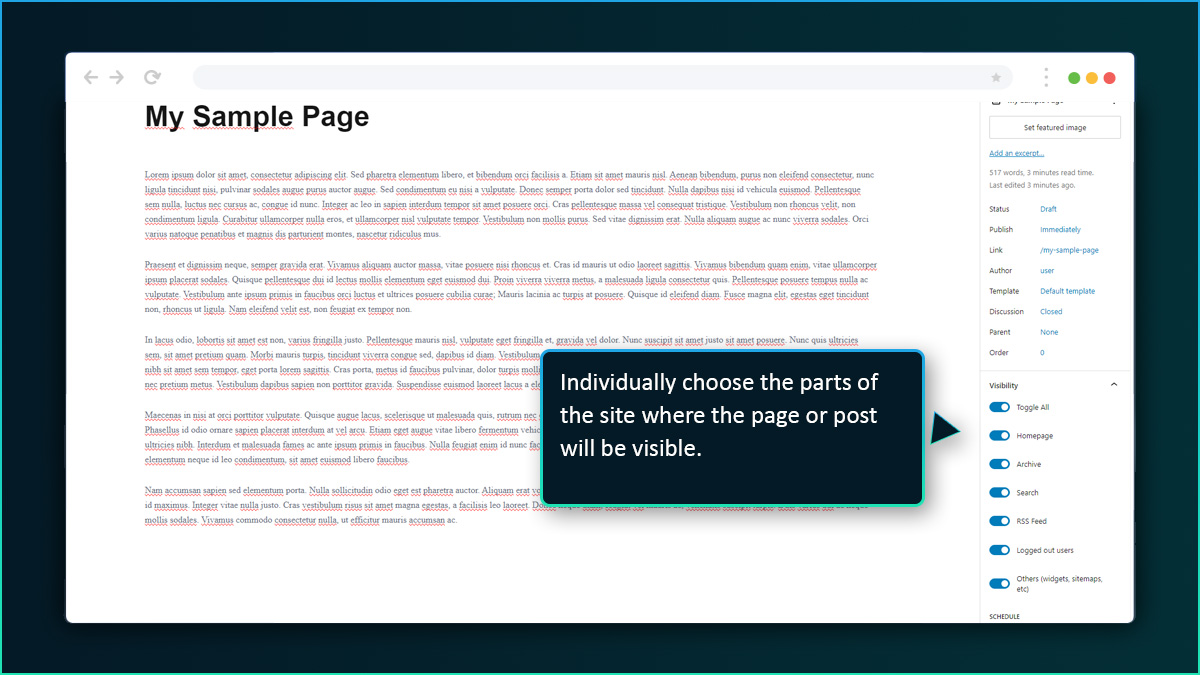
Individually select the parts of your site where a post or page is displayed. For example, you can make a post show in the archive and RSS feed but not on the homepage and category pages.
Gain control of where your posts, pages, or blocks are shown
on your WordPress site.

Individually select the parts of your site where a post or page is displayed. For example, you can make a post show in the archive and RSS feed but not on the homepage and category pages.


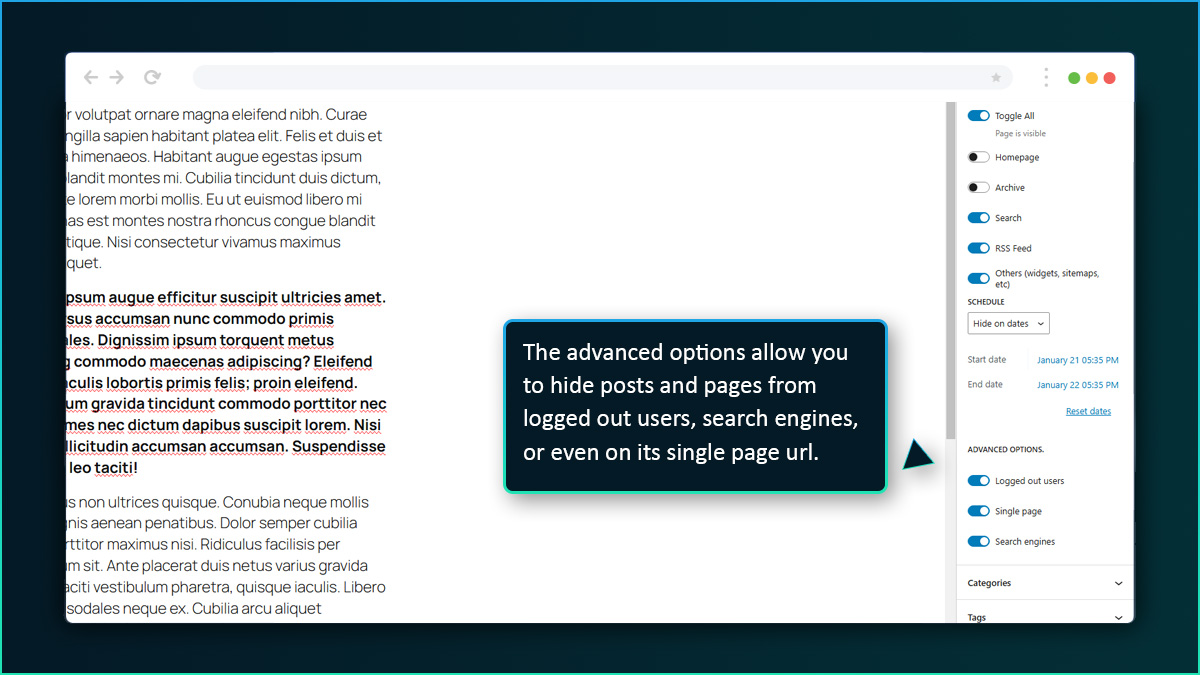
You can make pages that are available only to logged users. It is the easiest way to make content that is available only to your staff, community members or paid users (subscription platform not included).
Let's say you have a paragraph of a post that is not ready to be published yet. With Hide Anything! you can publish the post and hide just that section until it is ready. You can also use it to keep notes, revisions for collaborators, or even combine it with the schedule function so it automatically shows at a certain date.

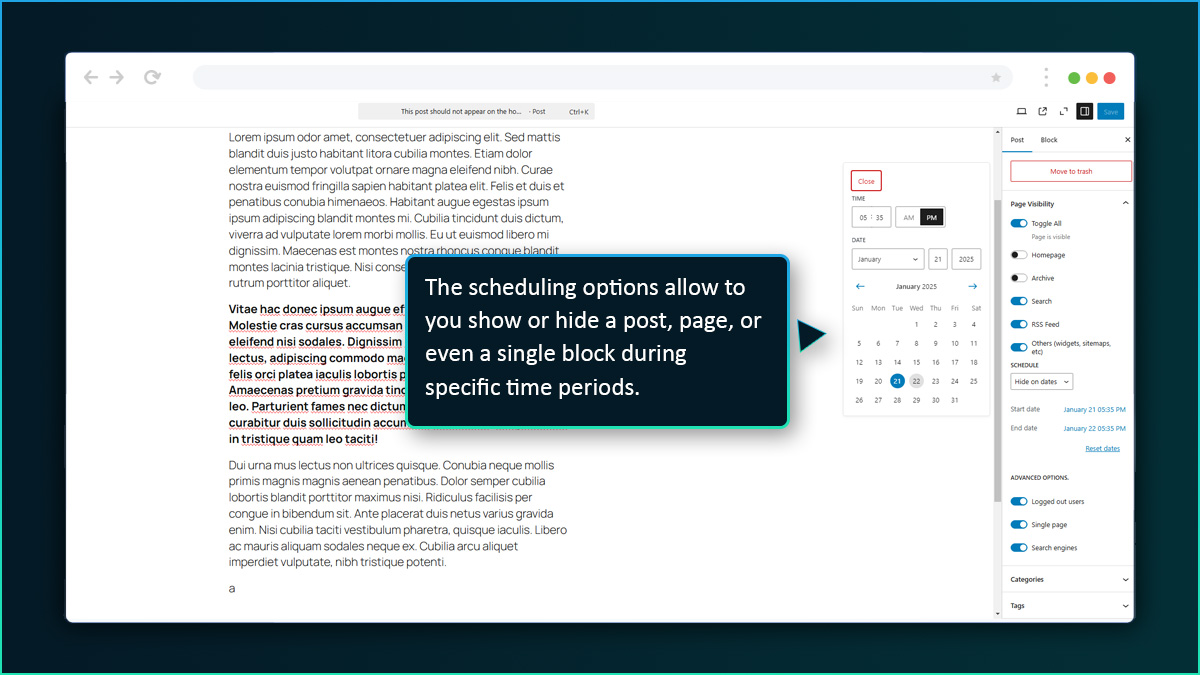
Gain granular control and schedule periods where your content is shown. Not just post or pages, you can schedule even individual blocks using the Gutenberg editor.
Hide Anything plays well with search engines and includes settings to block or allow search crwalers.

The plugin works server side. It does not expose any of the hidden content even in the code.

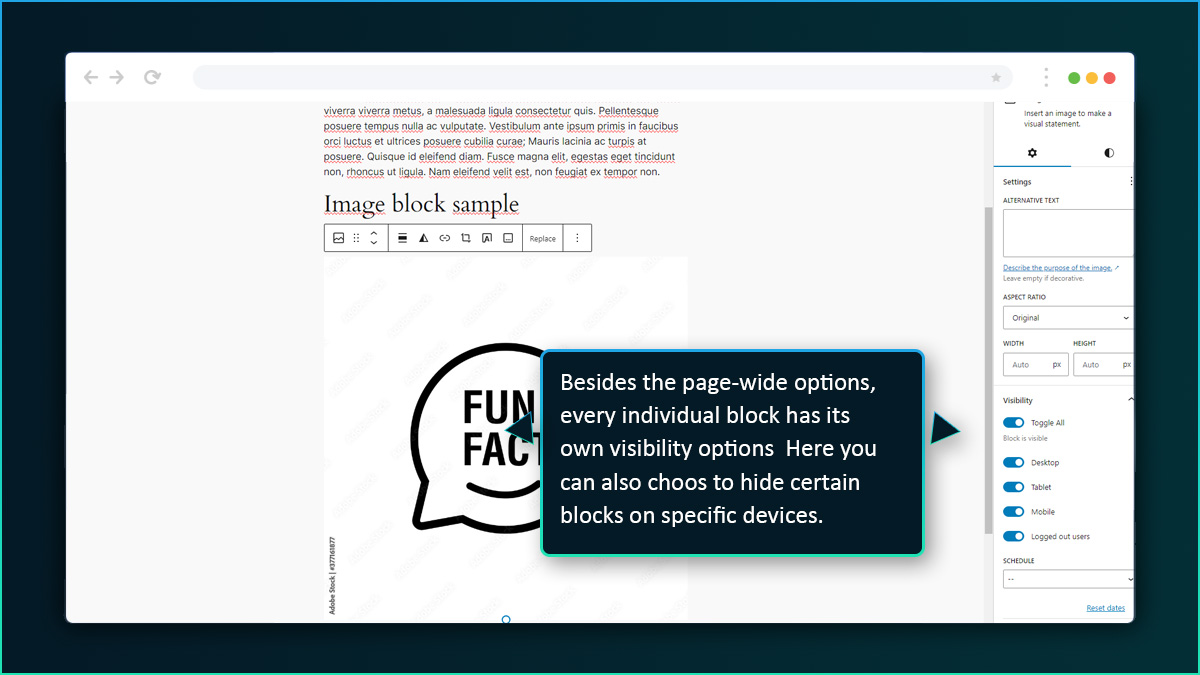
You can set blocks of content to only be displayed on mobile or desktop.
Thanks, this plugin saved me almost $100/year of subscriptions and does the exact same thing.
Works great. I had been looking for something similar for a while.
Exceptional customer service. I had some questions and I got fast and helpful answers.
Just what I was looking for my blog. The scheduling feature is perfect.